This guide shows how a dashboard in Claude is put together, and what you need to have ready before you ask for your first one. It is for you if you already have a Claude project and a couple of connectors attached. If you don't yet, start with Get started with Claude and Build your brand file, and come back here.
A dashboard is three parts
Data in through MCP Connectors. They are the connections from Claude to the places your numbers live: the mailbox, the calendar, the accounts, the newsletter, the publishing plan. Without them Claude guesses. With them it fetches.
Your design system as the frame. A file in the project with your colours as hex codes and your two typefaces. That is what makes the page come out in your own brand instead of in grey default type.
A page that fetches the numbers itself. A dashboard in Claude can pull the numbers from your connectors every time you open it. You open the same page every morning, and the numbers are new every time. A scheduled task is for what needs to happen before you get up.
How to ask for it
Open a conversation in your project and ask for a dashboard that fetches the numbers from your connectors when you open it. Say precisely which numbers should go in, and where they come from. Write "reach from Windsor, open invoices from Dinero, emails waiting for a reply from Gmail" instead of "my numbers". The more precisely you point, the less you have to fix afterwards.
You can also choose Output in the message field and then Dashboards. That template is in beta on the paid plans, and every chart shows when its numbers were last fetched. Tools that need approval for each action can't be used by a dashboard.
If you have set up your design system in the project, you don't need to describe the look. Claude reads the file and builds the page in your colours and your type. That is the part most people skip, and it is the part that decides whether you open the page more than twice.
Without the design system you get a page in grey default type, and you open it twice. With it, the page looks like something you wrote yourself, and then you read it.
I have four that run on their own
Marketing gathers reach, posts and newsletter. It pulls from six sources: Gmail, Google Calendar, Blotato, Flodesk, Dinero and Windsor. At the top are the key numbers, below them the publishing plan for the next two weeks, with the posts that failed, and why.
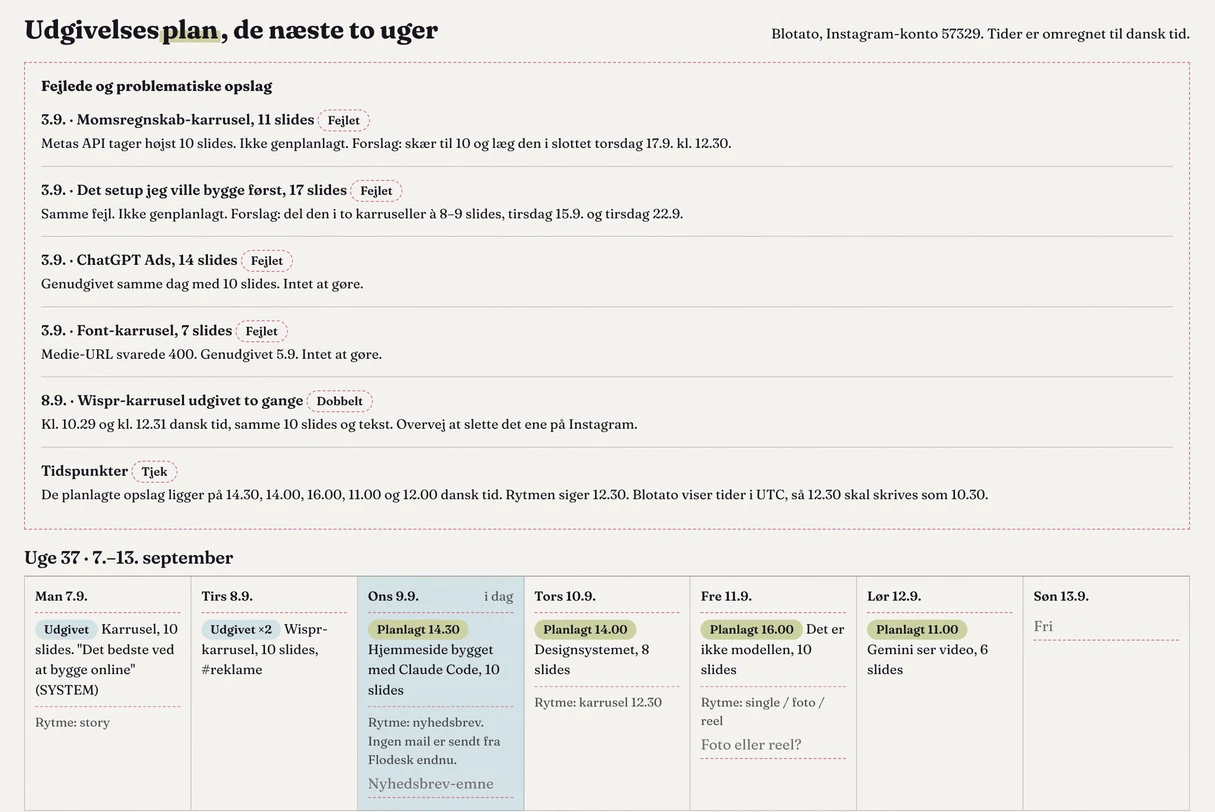
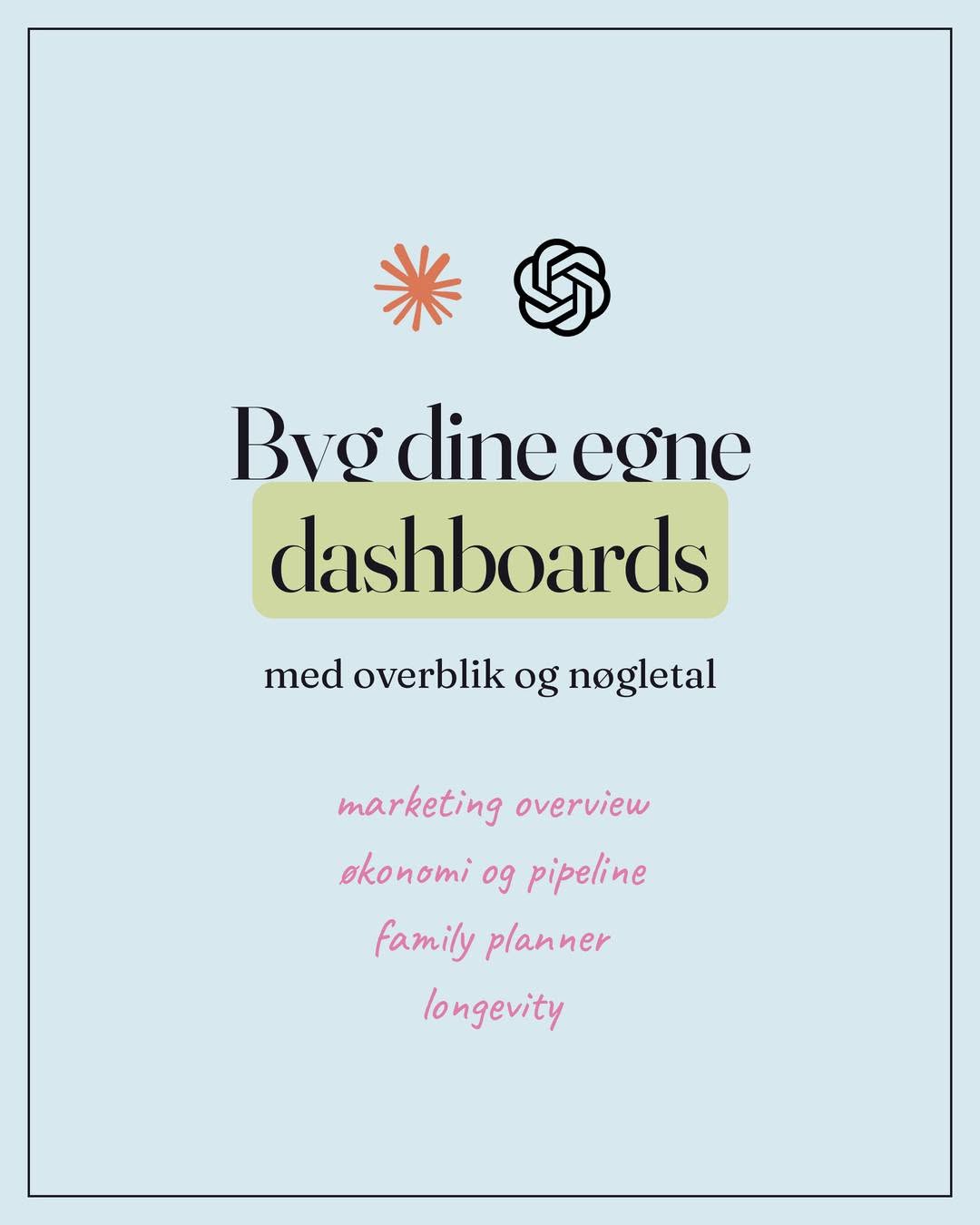
Business gathers finances, leads, pipeline and clients. Family gathers the calendar, the school schedule, the meal plan and appointments. And Longevity keeps track of today's training, supplements and protein. I have trained for many years, and that is the page that has moved the most out of my head and onto the screen.
All four have goals at the top. That is the first thing I see, before the numbers.
The family planner reads emails every morning
We get messages from two schools by email. The family planner's scheduled task reads them, puts the events in the calendar and reminds me of what I otherwise forget: gym clothes on Monday, hiking boots on Wednesday, the extra payment for the trip. Because the task runs without me, the calendar's tools are set to Always allow under Tool permissions, so the run doesn't end up waiting for my yes. It is the same principle as the marketing dashboard, with other sources and another purpose.
Every section links to its own connectors
The numbers aren't only there to look at. Every section links to the connector it is built on, so I can carry on with the task directly in the mailbox or the calendar. An invoice sitting in the inbox becomes a voucher, ready to be booked in Dinero. I read the number and act on it in the same movement.
One link, every morning
There are two ways to keep the page at hand. The simplest: the page lives under Artifacts in Claude and has its own link, which works on your phone too. It fetches the numbers itself, so it needs no scheduled task. The first time, Claude asks whether the page may use your apps. On Pro and Max, a page that fetches from your apps can't be shared with others. On Team and Enterprise, colleagues can open it with their own connections. It requires a paid plan. The other way: the page lives in your folder on GitHub, Vercel shows it, and a scheduled run in Claude Code, a routine, pushes the new page up every morning. Tell it to push to main, otherwise the page lands on a side branch that Vercel only shows as a preview. Then it has its own address, which is always new. It is the same stack this website runs on. The old way with a file on your computer only works if the desktop app is open when the task runs.
How to build your first
- Connect your sources under Customize, then Connectors. Start with the two you look at every day.
- Give Claude your design system as a file in the project: hex codes and two typefaces.
- Ask for one dashboard that fetches the numbers from your connectors, with links onward to each source.
- If something needs to happen before you get up, set it as a scheduled task, for example at 7 am. If it has to write to the calendar or the mailbox, set those tools to Always allow, so the run doesn't end up waiting for your yes. How to set up scheduled tasks.
Start with one field. The rest will come.
What you build for the first dashboard, you use again for the next. The design system is the same. The connectors are the same. Only the question changes: what do I want to see when I get up tomorrow? If you want it set up together with me, that is what a session is for.
The short version is on Instagram.