Open a new chat window. Upload a portrait of yourself and paste one of the prompts below. You get a personal image back: a colour palette, six glasses shapes on your own face, a skin report, suggestions for hairstyles and silhouettes.
Yes, it is fun. It is also a way to use AI for more than chat. Try changing the prompt along the way. Ask for recommendations for a particular clothing style, 90s instead of scandi minimal, and see what happens.
In my experience ChatGPT gives the best results. Gemini works too. Use the ordinary chat with image generation on, and expect the free plans to stop after a few images a day. Claude can't generate images, so these five don't work there.
The five analyses
Before you upload
Four things that do more for the result than any edit to the prompt.
- Portrait
High resolution. It gives cleaner face recognition, so it is your face that comes back.
- Light
Neutral daylight. Warm lamplight distorts the undertones in the skin and disturbs the colour analysis.
- Clothes
Simple, preferably one colour. Then the recolouring becomes more convincing.
- Background
Minimal and light. A clean background gives a cleaner layout on the image you get back.
Copy the prompt, upload your portrait, send. That is all.
Colour analysis by 16 seasons
You get a side-by-side with your best colours, your palette, metals and neutral tones, and which season you match. Think an editorial spread, not a report.
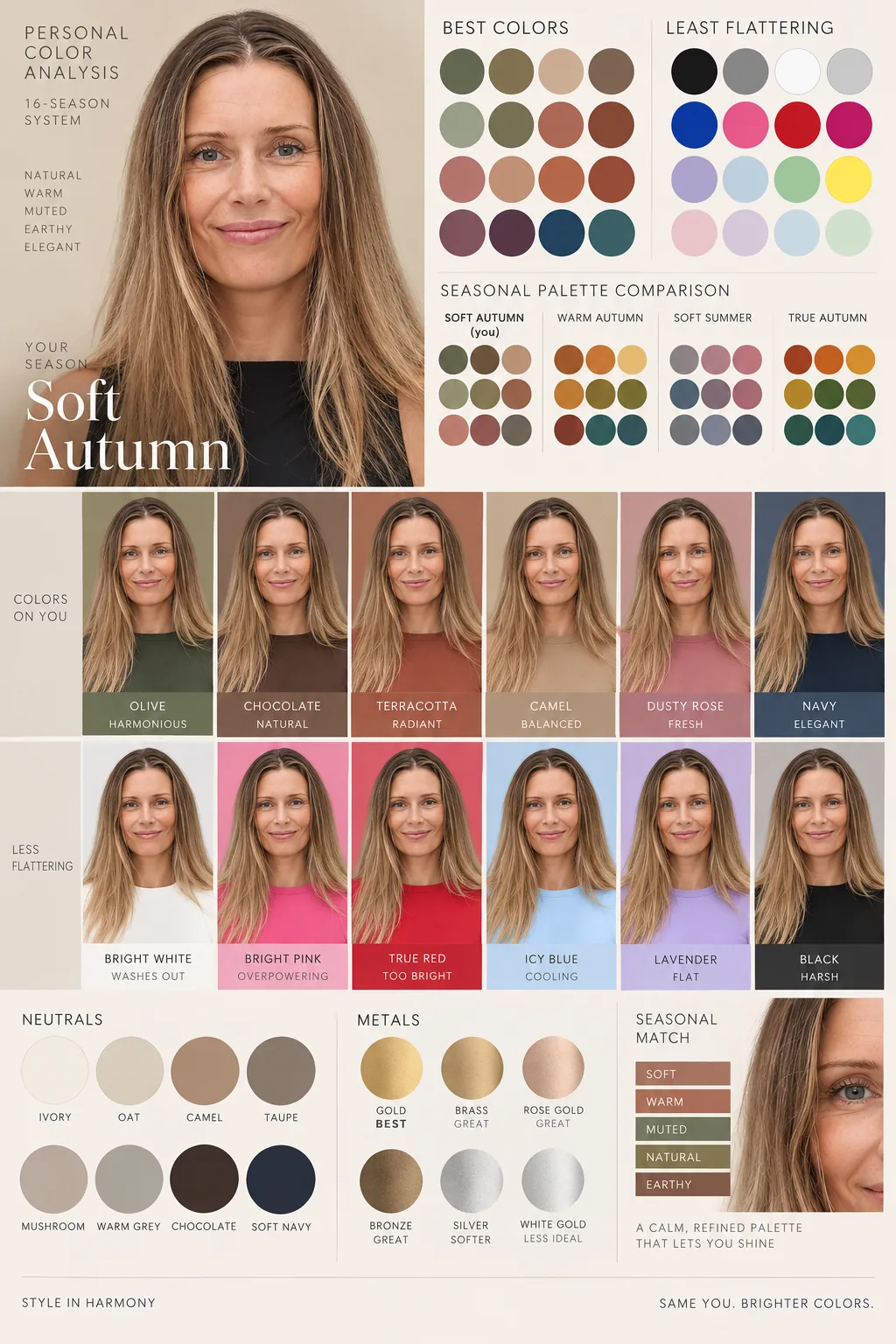
Create a personal color analysis graphic using the 16-season system.

Show:
- Best colors vs least flattering
- Seasonal palette comparison
- Metals and neutrals
- Seasonal match highlight
- Side-by-side clothing color comparisons

Style:
- visual-first infographic
- clean typography
- soft earthy luxury tones
- realistic clothing recolors
- short labels only
- no paragraphs
- editorial Instagram aesthetic

Use the original portrait as the main image.
A neutral background and simple clothes give the cleanest result. A calm portrait in even light does more than any edit to the prompt.
Hairstyles, lengths and partings
Same portrait. You get suggestions for hairstyles that suit your face shape and hair type, and a couple you should stay away from. Edit the description in the square brackets so it fits your hair.
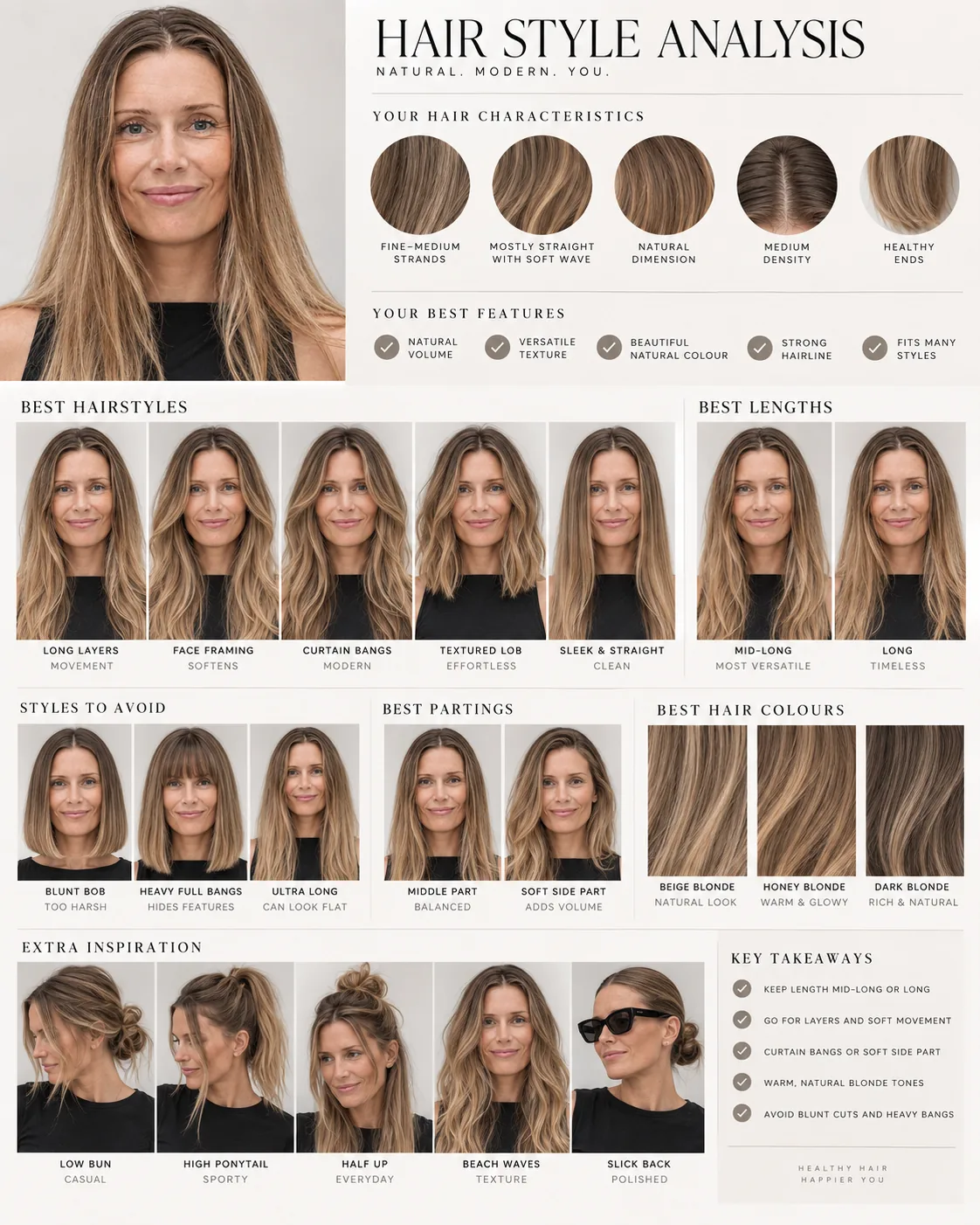
Create a hairstyle analysis graphic using the original portrait.
The subject's hair is [mostly straight with some wave. Edit this to describe your own hair].

Show:
- Best hairstyles
- Styles to avoid
- Best lengths
- Best partings
- Best hair colors
- Hair characteristics

Make it visual-first with:
- side-by-side hairstyle comparisons
- clean neutral background
- soft luxury aesthetic
- short labels only
- no long paragraphs
- modern editorial infographic layout
- realistic hairstyle edits using the same face

Instagram optimized.
Describe your hair in three words. Thick or fine. Straight, wavy or curly. Light, dark or in between. More becomes noise.
Six glasses shapes side by side
This one only swaps the glasses. Face, light and expression stay. You see six variants on your own portrait and can judge what suits you before you go to the shop.
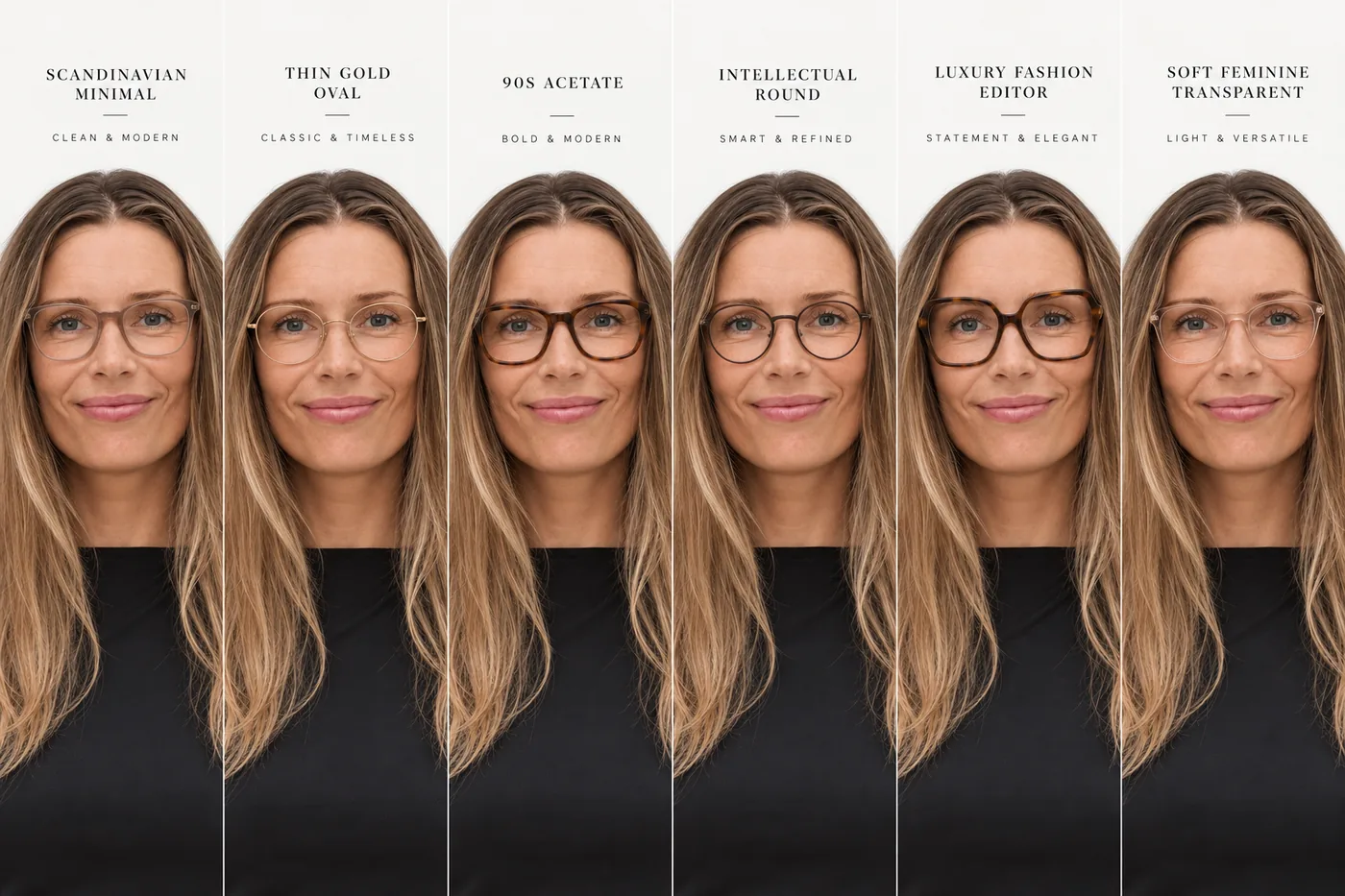
Keep the exact same person, face, lighting and expression.
Only change the glasses.

Generate 6 different glasses styles side-by-side:
- Scandinavian minimal
- Thin gold oval
- 90s acetate
- Intellectual round frames
- Luxury fashion editor style
- Soft feminine transparent frames

Make it look like a premium optical campaign.
Realistic fit to the face.
Natural shadows and reflections.
Editorial lighting.
White clean background.
If you don't like any of the six, swap one or two of the styles in the prompt and run it again. The style names steer the model more than you would think.
A skin report from one portrait
Skin type, strengths, areas to work on, and a simple routine morning and evening. Realistic, not flattering.
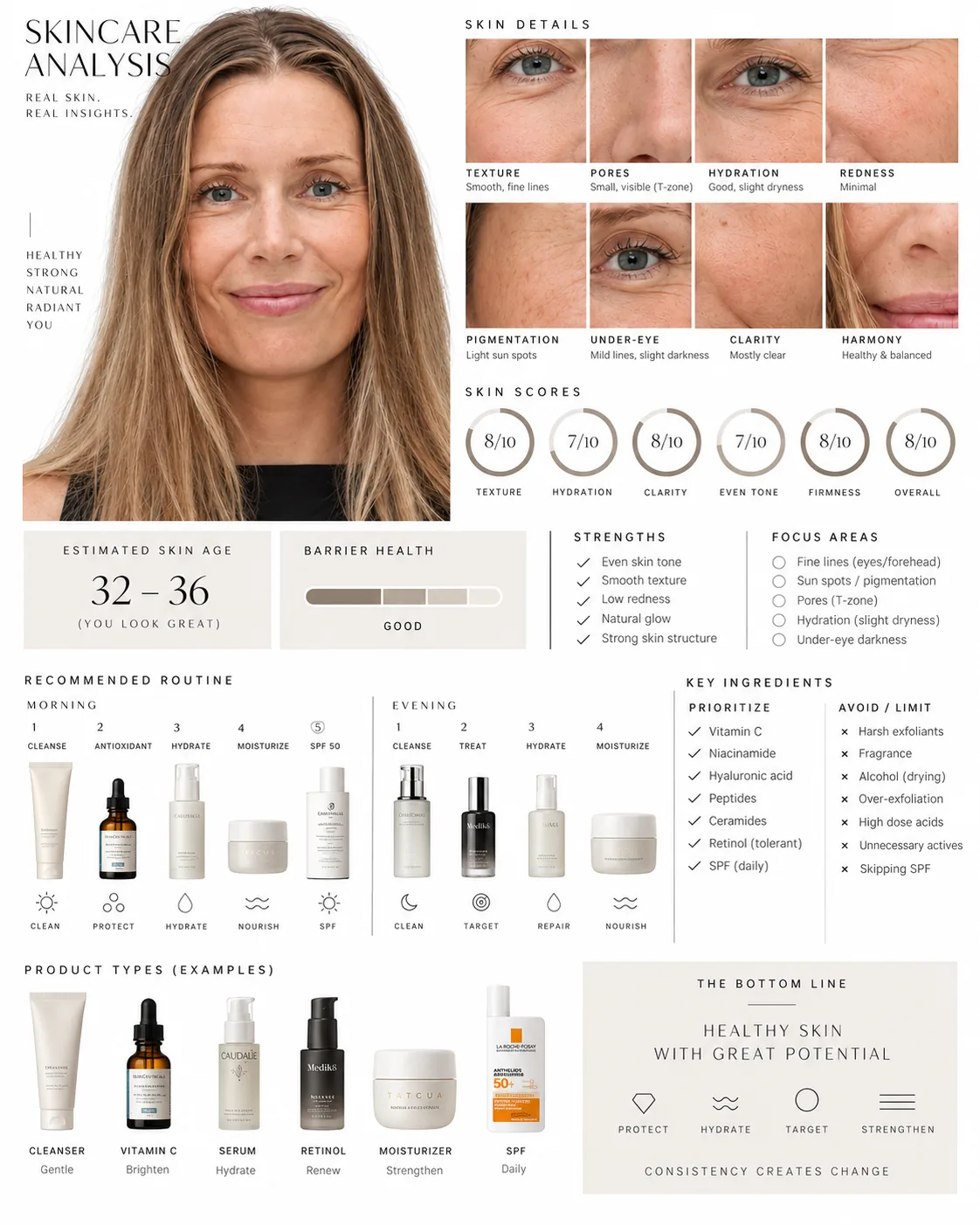
Create a visual skincare analysis graphic using this portrait.

Analyze:
- skin texture
- hydration
- redness
- pores
- pigmentation
- under-eye area
- skin clarity
- overall skin harmony

Show:
- strengths vs. improvement areas
- estimated skin age range
- barrier health analysis
- realistic skincare recommendations
- morning and evening routine
- ingredients to prioritize and avoid

Style:
- editorial beauty report
- luxury skincare campaign aesthetic
- clean white background
- thin black typography
- soft neutral tones
- diagram-first layout
- realistic and constructive, not overly flattering

Use short labels only. No long paragraphs.
Use it as inspiration. It is a model reading a picture, not a dermatologist. A freshly washed face without makeup gives the cleanest starting point.
Style and body type from your portrait
Silhouettes, necklines, sleeve lengths, fabrics and colour palette based on your proportions. A whole spread in Scandinavian magazine style.
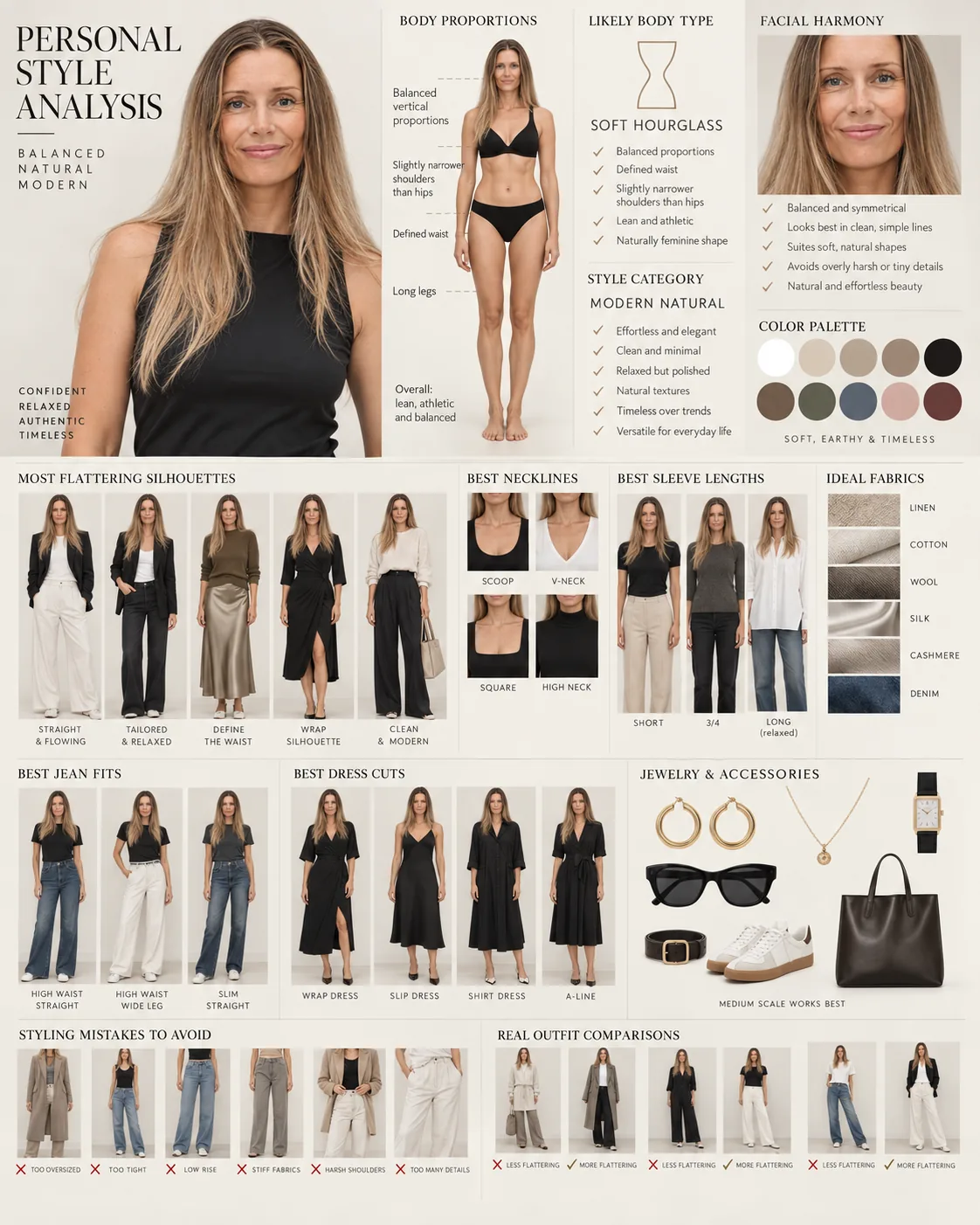
Create a personal style and body type analysis graphic using this portrait.

Analyze:
- body proportions
- vertical balance
- shoulder-to-hip ratio
- waist definition
- overall silhouette
- facial harmony with clothing lines

Determine the most likely body type and style category.

Show:
- most flattering silhouettes
- best necklines
- best sleeve lengths
- ideal fabrics
- best jean fits
- best dress cuts
- styling mistakes to avoid
- outfit comparisons side-by-side
- recommended color palette
- jewelry and accessory scale

Style:
- Scandinavian editorial aesthetic
- luxury fashion magazine layout
- soft earthy tones
- minimal typography
- visual-first infographic
- realistic outfit visualization
- no long paragraphs
This one works best with a full-body picture. A close-up gives a poorer reading of the proportions, and then the body type is mostly guesswork.
AI as a fitting room
This one needs no special prompt. Two pictures and one sentence.
I was looking for sunglasses. Normally that means 20 tabs, 50 screenshots and a saved list on Zalando. Instead I took the product picture from the shop's own page, uploaded it together with a picture of myself, and wrote: try these on from different angles. Then I fetched the next product picture. And the next. After about ten models I knew which size worked, which shapes suited me, and which I should steer well clear of.
The same works for clothes, office furnishing and art on the wall. Everything where it is hard to imagine the result in advance.
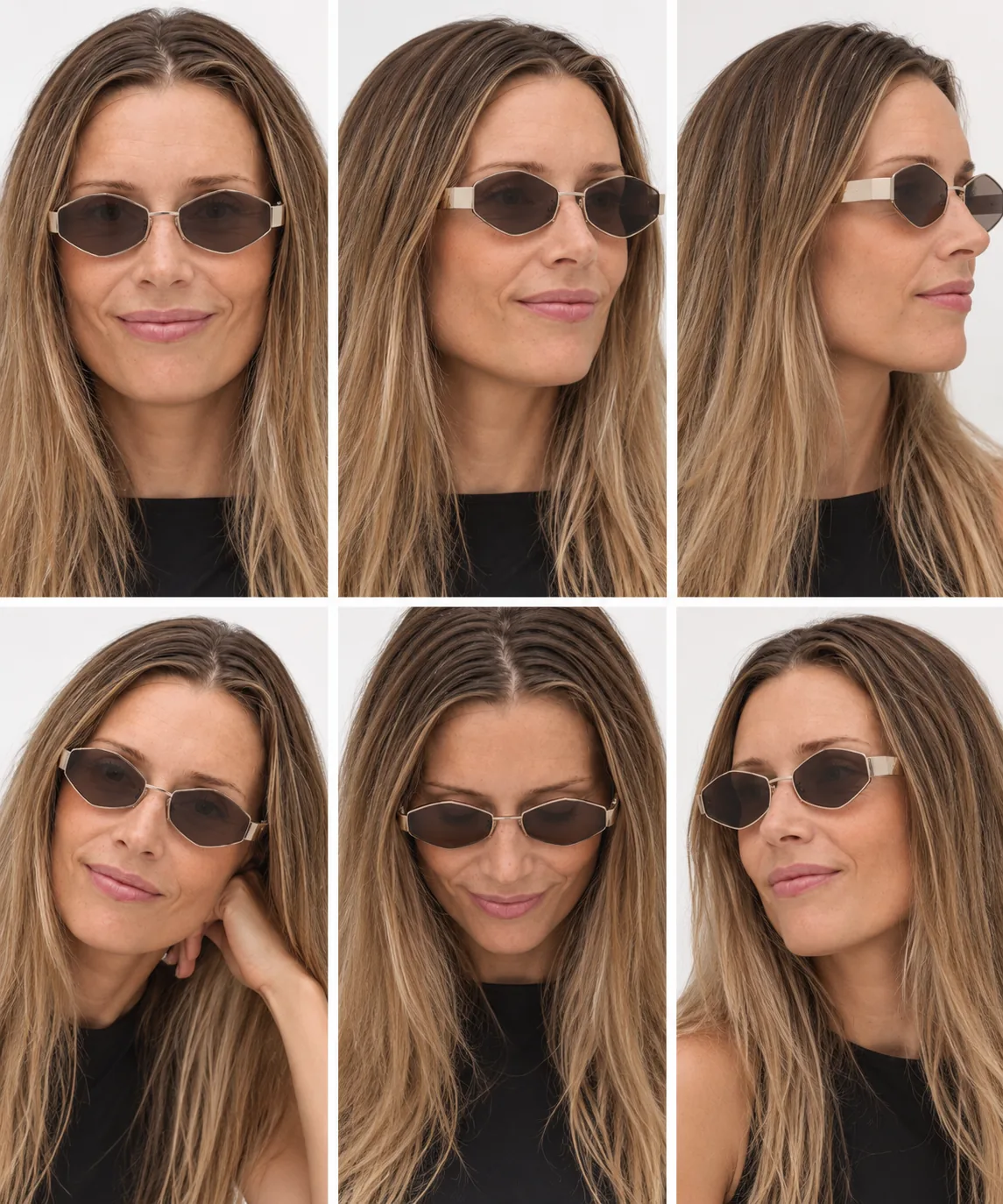
Try these on from different angles.
Upload two pictures together with the sentence: the product picture from the shop, and a picture of yourself.
The product picture should be the clean one the shop uses itself. White or light background, the product alone, no model. Right-click the picture in the webshop and save it.
Stay in the same chat all the way when you try the next model. It remembers what you have seen, and you can ask at the end: which of them suited me best, and why?
The prompts aren't the most important part. It is the picture you give the model, and what you ask for afterwards. Keep writing in the same chat: ask for another season, another style, another crop. That is where it becomes yours.